
Connect a repository for bidirectional Git authoring
Connect GitHub with least-privilege credentials, publish browser edits through a draft pull request, and recover safely from conflicts.
- 5 min read
- 5 screenshots
- Updated Aug 22, 2026
Nibleaf can import a repository as before, or connect a GitHub repository for two-way authoring. In two-way mode, browser edits are committed to a dedicated branch, a draft pull request is created or updated, upstream changes are reconciled, and each pull request receives an immutable, noindex preview.
Instance setup
Apply the database migration before enabling the UI:
pnpm db:deploy
Configure two independent secrets on the API and worker services:
# Exactly 32 bytes, base64 encoded. Encrypts provider credentials and webhook secrets.
openssl rand -base64 32

# At least 32 characters. Authenticates opaque worker callbacks to the API.
openssl rand -hex 32
Set the results as GIT_CREDENTIAL_ENCRYPTION_KEY and GIT_WORKER_SECRET. GIT_CONCURRENCY defaults to 2. If WORKER_QUEUES is an allowlist, include git. Restart the API and worker after changing these values.
Do not rotate GIT_CREDENTIAL_ENCRYPTION_KEY in place: existing ciphertext cannot be decrypted with a new key. To rotate it, first disconnect or re-encrypt every Git connection in a controlled migration, deploy the new key, and reconnect credentials. Rotating GIT_WORKER_SECRET only requires deploying the same new value to the API and worker together.
GitHub credential and repository setup
Create a fine-grained personal access token or installation credential restricted to the connected repository. Grant only:
- Metadata: read
- Contents: read and write
- Pull requests: read and write
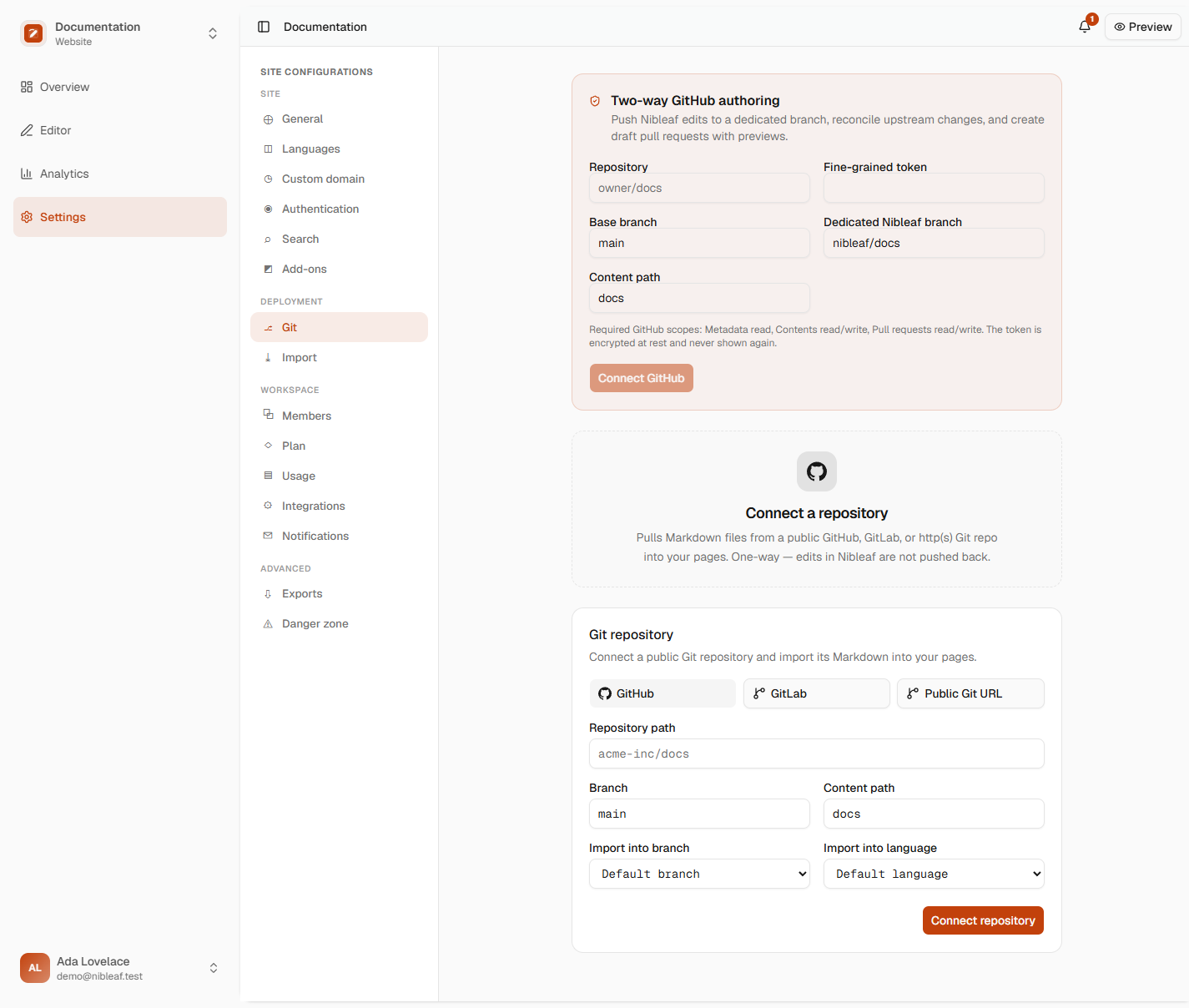
No Actions, administration, issues, organization, or user scopes are required. Paste the token once in Site settings → Git. Nibleaf verifies write access, encrypts the token with AES-256-GCM, stores a non-secret fingerprint for operators, and never returns or logs the token.
Choose a base branch (normally main), a distinct dedicated authoring branch (for example nibleaf/docs), the repository-relative documentation path, and the Nibleaf branch/language to map. Nibleaf never force-pushes. Branch updates use compare-and-swap semantics and stop if the remote ref changes during a push.
Webhook setup
In the GitHub repository, add the payload URL shown by Nibleaf:
https://YOUR_NIBLEAF_ORIGIN/api/public/git/webhook/PROJECT_ID
Use application/json, paste the secret generated or rotated in the Git panel, enable SSL verification, and subscribe to Pushes and Pull requests.
GitHub deliveries are verified against the exact raw request bytes using X-Hub-Signature-256. X-GitHub-Delivery is stored with a payload hash, so replayed deliveries are acknowledged idempotently and a reused delivery ID with different bytes is rejected. Webhook bodies and credentials are not placed in Redis; jobs contain only an opaque operation ID.
Existing public GitHub/GitLab one-way connections remain readable and keep their legacy webhook behavior until an admin adds an encrypted two-way GitHub connection.
Commit, pull request, and preview behavior
Authors with the site member role or higher may queue pushes, pull upstream changes, and resolve conflicts. Repository credentials, webhook rotation, connection changes, and disconnects require admin or owner.
Every push includes an idempotency key, commit message, author name, and author email. Reusing the key with the same request returns the existing operation; reusing it with different input is rejected. Commit creation, branch updates, pull-request upserts, previews, webhooks, and worker retries all converge on durable database records.
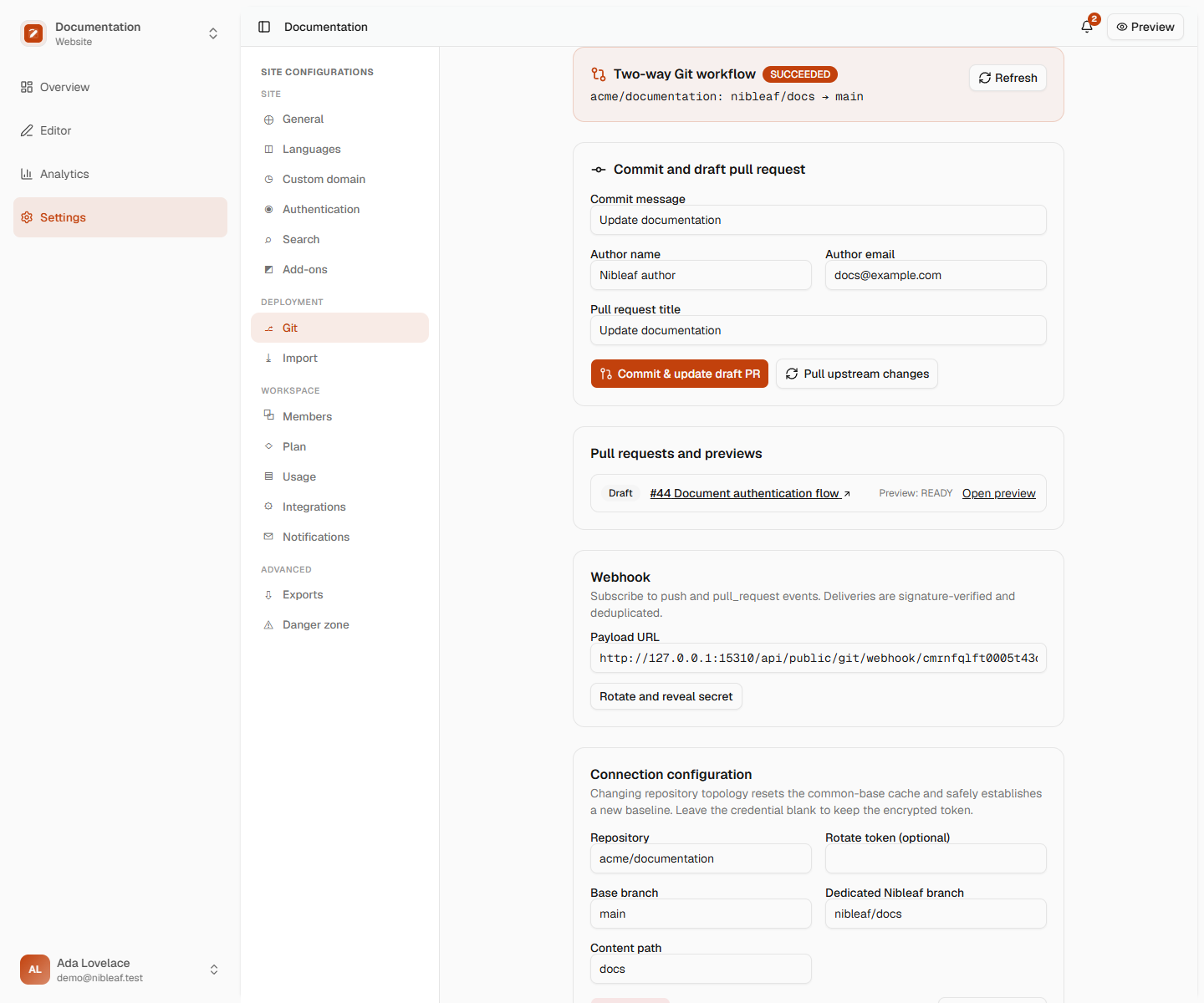
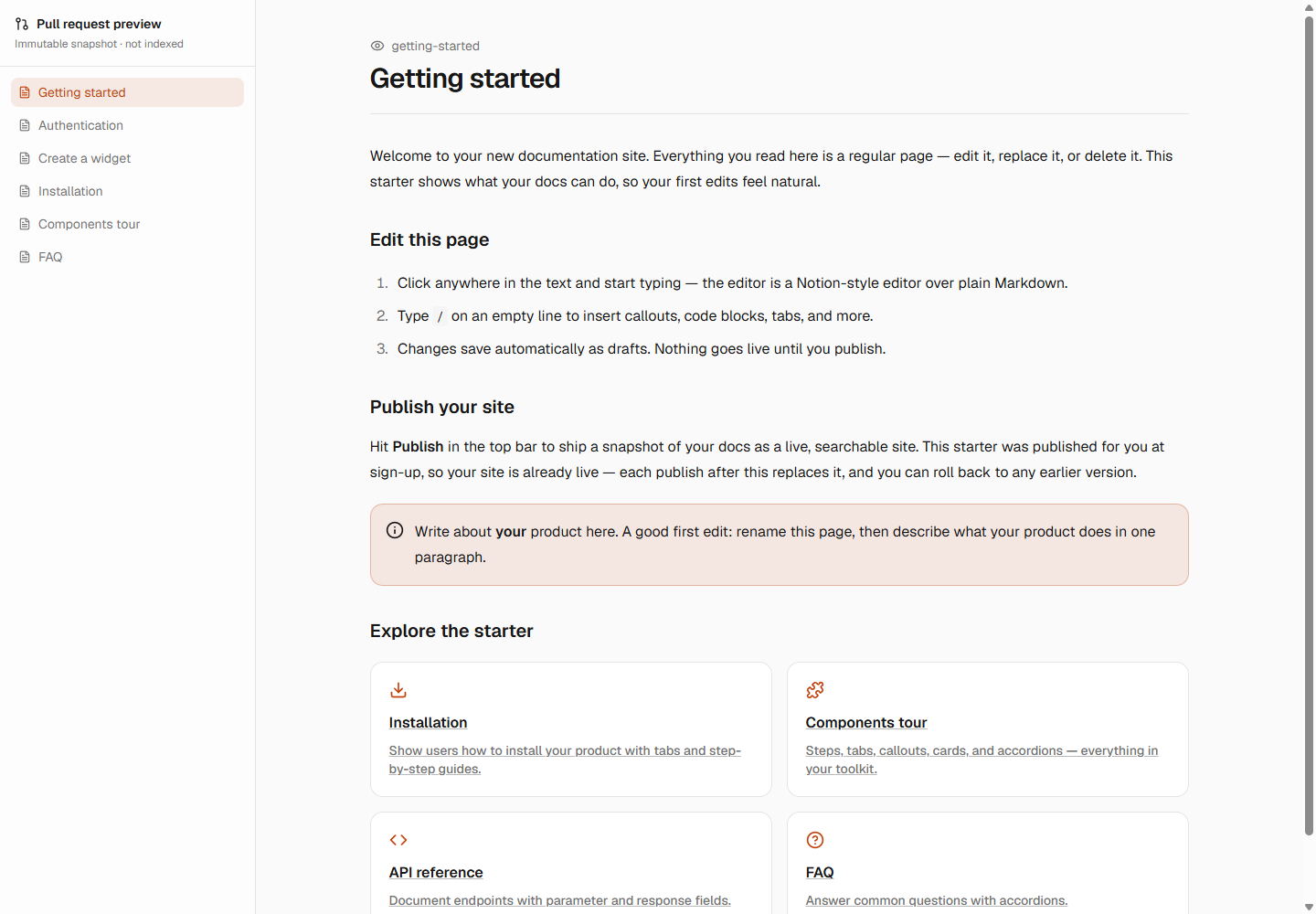
The GitHub adapter creates or updates one draft pull request for the configured head/base pair. The UI shows changed files, durable operation status, PR state, and preview lifecycle (PENDING, BUILDING, READY, FAILED, or SUPERSEDED). READY previews are immutable snapshots at an unguessable URL and send noindex, nofollow; closing a PR supersedes its active preview.
Visual walkthrough
The Git panel explains the least-privilege GitHub scopes and keeps the base and dedicated authoring branches explicit when an administrator connects a repository.
After a push, the same panel surfaces the durable operation, commit attribution, changed files, draft pull request, and preview lifecycle.
The public preview renders the immutable pull-request snapshot independently from the authoring workspace.
Conflict semantics
Each tracked file stores the last common base. Before changing either side, Nibleaf compares:
- base: the last version accepted by both systems;
- ours: the current Nibleaf page serialization;
- theirs: the current file from Git.
If only one side changed, that change is preserved automatically. Identical edits converge. File additions and deletions are first-class states, not empty strings. If both sides changed differently, the operation moves to CONFLICT and no repository ref or Nibleaf page is overwritten.
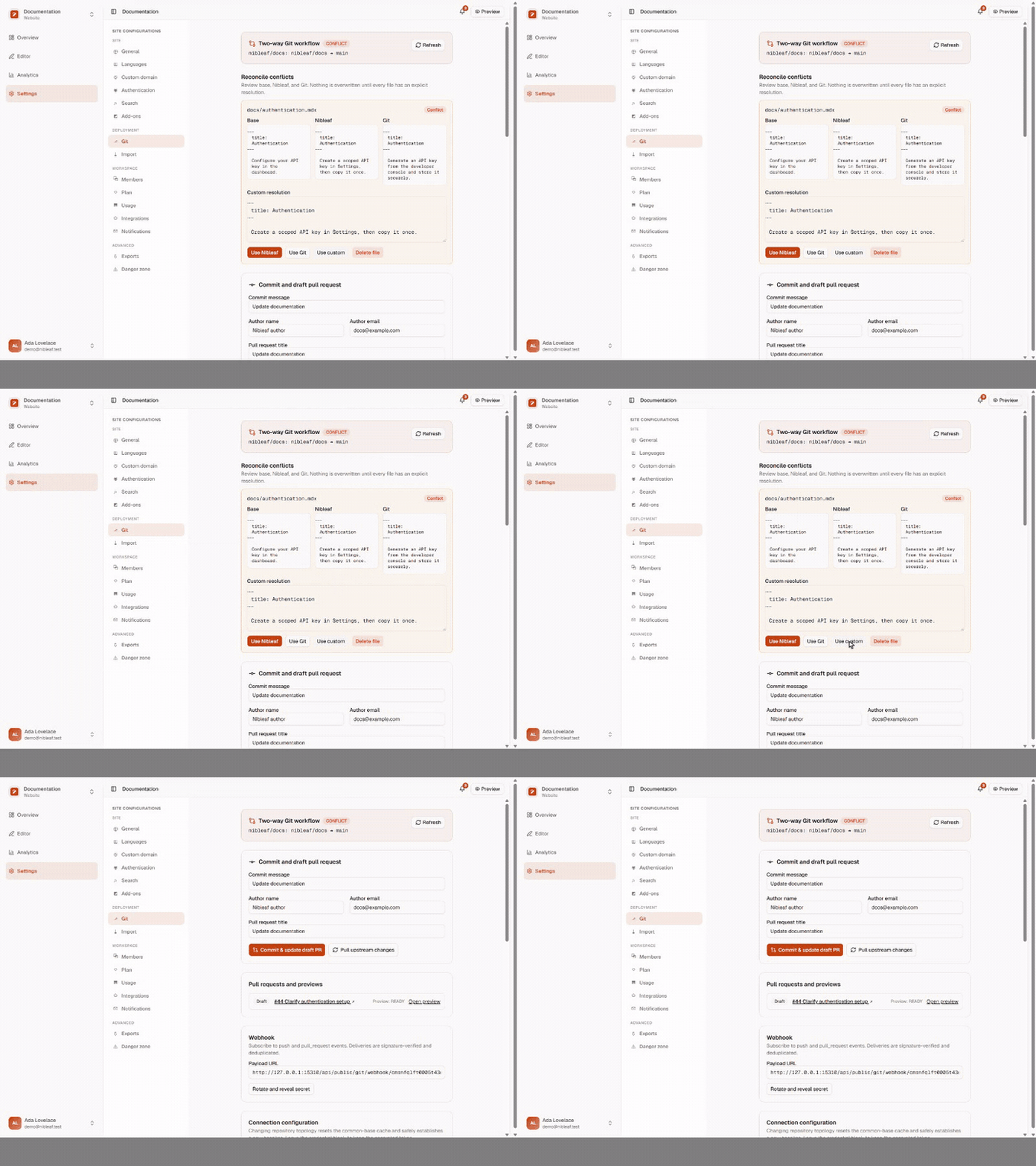
For every conflicted file, the UI displays complete base/ours/theirs content. An author must explicitly choose Nibleaf, Git, custom content, or custom deletion. Once all files are resolved, the same durable operation is retried. A second remote ref check still runs immediately before update, so changes that arrive during reconciliation cannot be silently lost.
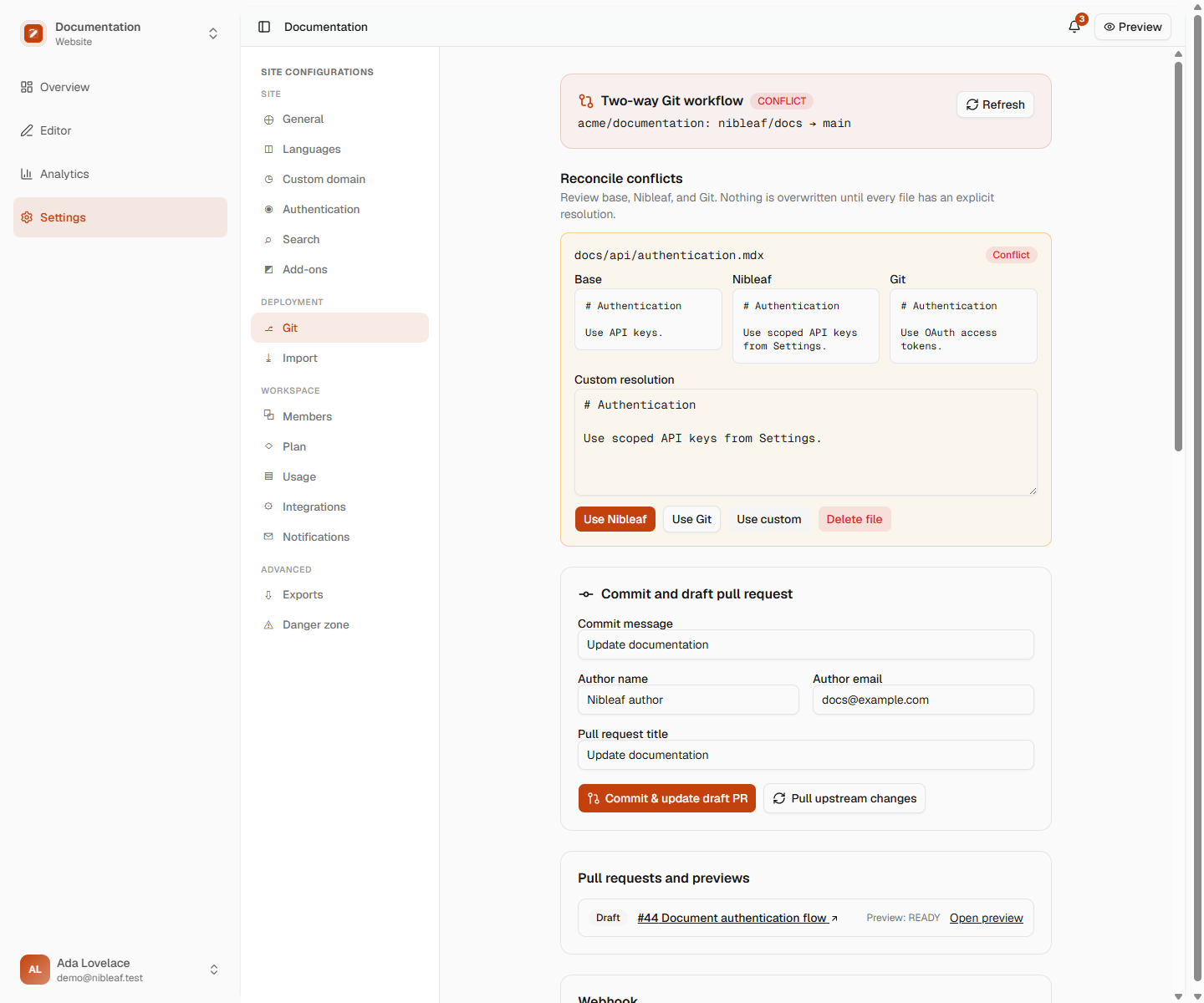
The following short recording shows an explicit per-file resolution and the operation returning to the durable queue. No side is changed before the author selects a resolution.
Operational recovery
- QUEUED for too long: verify Redis, ensure the worker runs the
gitqueue, and confirmGIT_WORKER_SECRETmatches on API and worker. Re-queueing the same operation is safe. - FAILED with 401/403: rotate the repository credential with the documented least-privilege permissions. Provider error messages are bounded and secret-free.
- Remote branch changed: pull upstream changes, resolve any conflicts, then submit a new idempotent push. Nibleaf never force-pushes around this error.
- Preview failed: inspect the operation/preview error in the Git panel, fix the content or infrastructure issue, and update the draft PR. The source-SHA uniqueness key prevents duplicate builds.
- Webhook retries: GitHub may redeliver the same ID safely. If Redis was unavailable, redelivery queues the same idempotency key.
- Lost webhook secret: rotate it in Nibleaf, immediately update the GitHub webhook, and use GitHub's redelivery action for missed events.
- Lost encryption key: encrypted credentials are intentionally unrecoverable. Set a new key and reconnect every affected repository; provider tokens should also be revoked and replaced.
Sensitive actions are written to the Git audit table with actor, project, action, timestamp, and bounded secret-free metadata. Disconnect is additionally mirrored to the platform event stream before credential rows are deleted.